Industrial Wi-Fi Dead Zones: How to Improve Coverage in Metal Buildings
A weak Wi-Fi connection can create serious problems in warehouses, factories, and industrial buildings. Employees may experience slow internet, disconnected devices, delayed operations, and difficulty accessing important business applications.
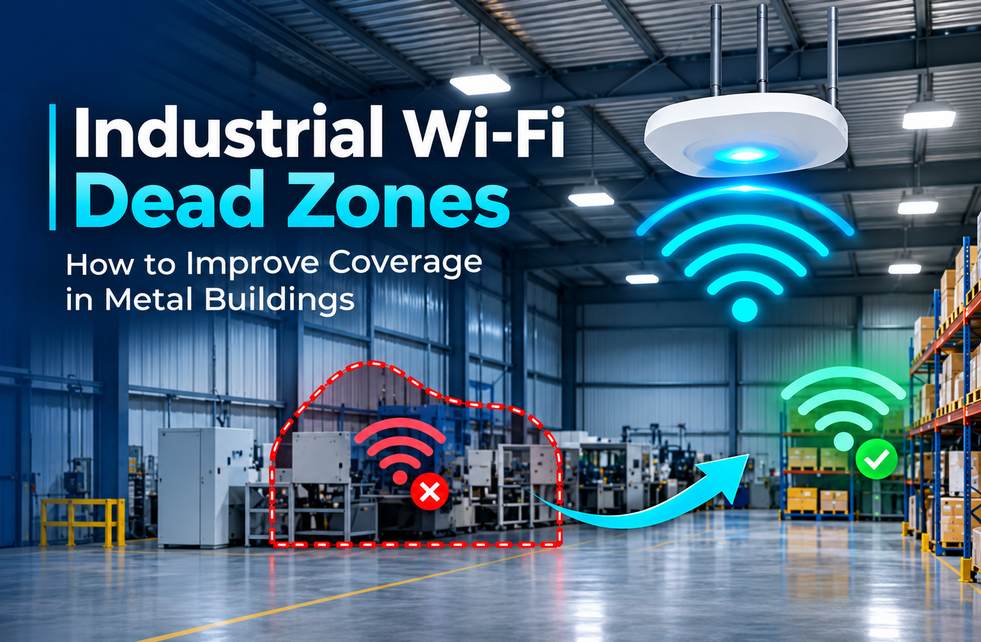
The biggest challenge in industrial environments is metal. Storage racks, machinery, metal walls, and equipment can interfere with wireless signals, creating dead zones where Wi-Fi barely works.
Simply installing a stronger router may not solve the problem. Businesses need proper wireless planning, the right equipment, and reliable network infrastructure to achieve consistent coverage.
Here are six practical ways to fix industrial Wi-Fi dead zones and improve workplace connectivity.
Identify the Main Causes of Wi-Fi Dead Zones
Before making changes, businesses should identify where wireless signals become weak. Metal structures can reflect or block signals, while heavy machinery and large storage systems can create coverage gaps.
Common reasons include:
Metal racks and industrial equipment.
Poorly positioned wireless access points.
Thick walls and physical obstructions.
Interference from nearby wireless devices.
Outdated networking equipment.
A professional wireless site survey helps locate these problems and identify the most effective improvements.
Improve Access Point Placement
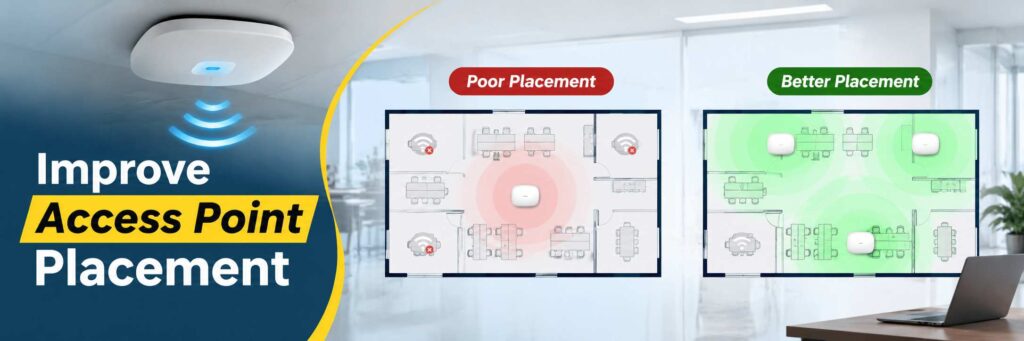
Access point placement plays an important role in wireless performance. Installing devices behind machinery or inside enclosed spaces can reduce signal strength.
Businesses should position access points strategically to provide better coverage across workstations, storage areas, and production floors.
Working with structured cabling companies Columbus businesses trust can also help ensure access points receive stable wired connections.
The right installation plan reduces weak coverage areas and provides more consistent connectivity throughout the facility.
Choose the Right Wireless Equipment
Industrial environments need networking equipment that can handle multiple connected devices and demanding operating conditions.
Businesses should consider enterprise-grade access points, suitable Wi-Fi standards, and the right frequency bands. The 2.4 GHz band generally provides better range, while 5 GHz supports faster connections over shorter distances.
For reliable installations, professional network cabling Columbus Ohio services can provide the wired foundation needed for access points, switches, and other network devices.
Combining wired and wireless connectivity helps improve overall network stability.
Separate Business and Security Camera Traffic

When computers, cameras, scanners, and other connected devices share the same network, heavy traffic can affect performance.
Network segmentation allows businesses to separate office systems, security cameras, and operational devices. This makes network management easier and helps reduce unnecessary traffic between different systems.
Proper Camera Network Optimization also helps prevent security camera traffic from affecting essential business applications.
A well-organized network supports better performance, security, and troubleshooting.
Monitor Network Performance Regularly
Industrial buildings frequently change as businesses add equipment, expand storage areas, or introduce new connected devices. These changes can affect existing Wi-Fi coverage.
Regular monitoring helps identify weak signals, overloaded access points, outdated firmware, and connection problems.
A planned Network Infrastructure Maintenance approach helps businesses maintain reliable connectivity and reduce unexpected network failures.
Regular inspections and timely upgrades can prevent minor technical issues from becoming expensive operational problems.
Prepare for Unexpected Network Failures
Even a well-designed network can experience unexpected outages due to equipment failure, power interruptions, or internet service problems.
Businesses should maintain backup internet connections, document network configurations, and establish a clear recovery process.
Effective Business IT Disaster Recovery planning helps organizations restore important systems faster and reduce operational disruption.
Preparing in advance can protect productivity and keep essential business operations moving during unexpected technical problems.
Why Choose Vortex IT Systems for Industrial Network Solutions?
Industrial Wi-Fi problems require the right combination of planning, equipment, installation, and ongoing support.
Vortex IT Systems helps businesses improve their networking infrastructure with professional cabling, wireless connectivity solutions, network troubleshooting, and IT support.
Whether you operate a warehouse, factory, or commercial facility, a properly designed network can improve connectivity, employee productivity, and business operations.
Contact Vortex IT Systems today to discuss your industrial Wi-Fi requirements and get a reliable networking solution for your business.
Website: https://vortexitsystems.com/
Frequently Asked Questions
Why does Wi-Fi not work properly in metal buildings?
Metal walls, racks, and machinery can block or reflect wireless signals, creating weak coverage areas and connection problems.
How can I fix Wi-Fi dead zones in a warehouse?
A wireless site survey, strategic access point placement, and suitable networking equipment can help improve coverage.
Are additional Wi-Fi access points necessary?
Not always. The requirement depends on building size, layout, signal interference, and the number of connected devices.
Can professional network installation improve Wi-Fi performance?
Yes. Proper equipment selection, access point placement, and structured cabling can improve network stability and coverage.
How often should industrial Wi-Fi networks be checked?
Businesses should monitor network performance regularly and schedule maintenance based on equipment condition and operational requirements.